Installation Location
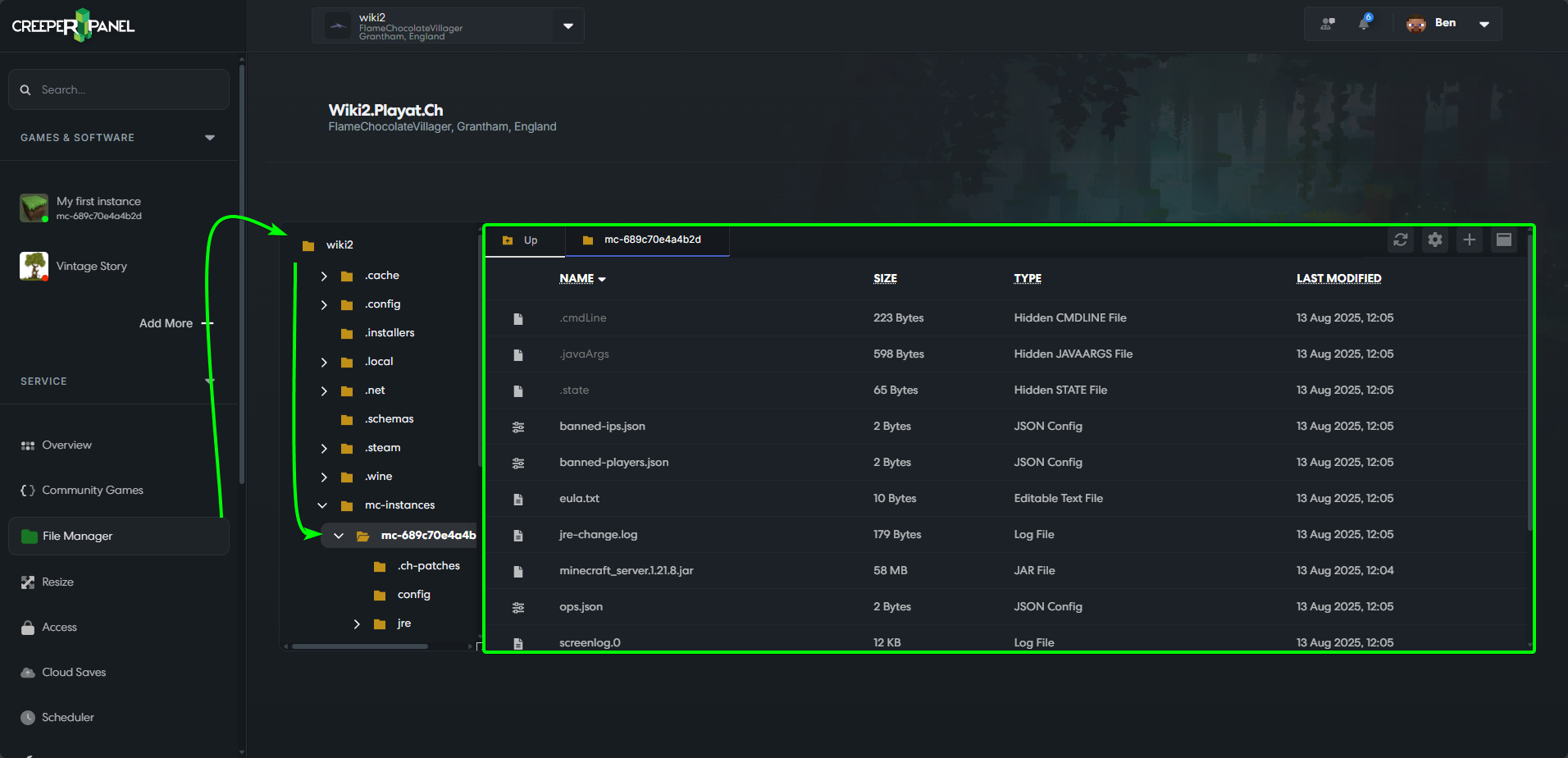
Minecraft: Java Edition is stored in the ./home/minecraft/mc-instances/mc-INSTANCEIDHERE/ directory. It can be accessed via the Files menu for your game instance, or sFTP/SSH. Files added to the instance's directory will be detected by the control panel and software utilising them.
The instance ID is in your browser URL, eg: panel.creeper.host/TestServer/services/mc/mc-5c604c6ddc398/files when visiting any submenu for that instance.
Uploading files using the root login details for SSH/sFTP may cause problems with the control panel being able to access files/folders. Where possible, always login using the standard 'minecraft' level key.
An example of a healthy structure listing (Note: Files menu does not show the /home/minecraft/ part of the file structure):
/home/minecraft/mc-instances/mc-INSTANCEIDHERE/server.jar/home/minecraft/mc-instances/mc-INSTANCEIDHERE/configs//home/minecraft/mc-instances/mc-INSTANCEIDHERE/mods//home/minecraft/mc-instances/mc-INSTANCEIDHERE/world/level.dat/home/minecraft/mc-instances/mc-INSTANCEIDHERE/server-icon.png
An example of a healthy structure using the CreeperPanel:
An example of a healthy structure using the CreeperPanel, via an instance's menu:
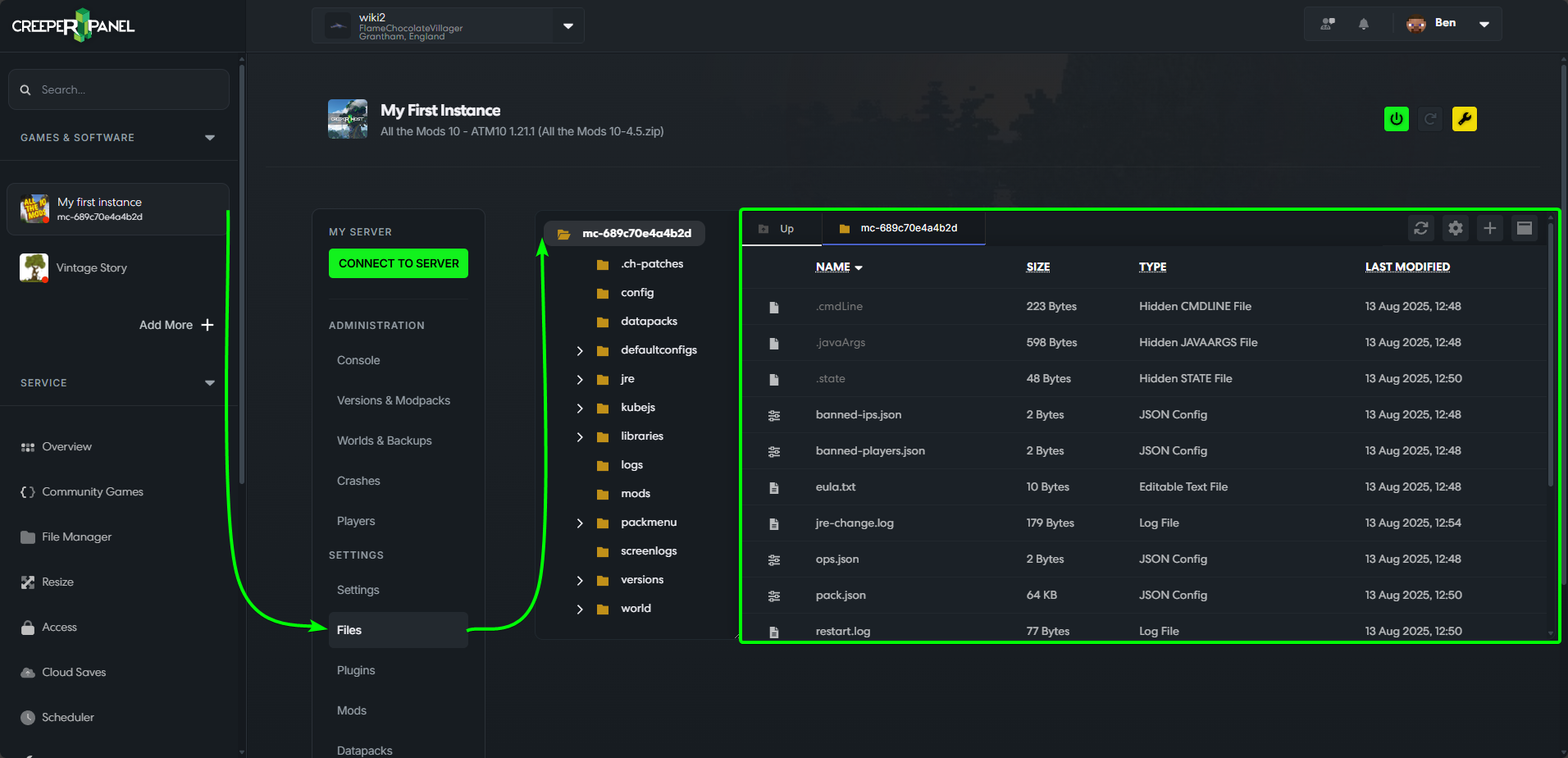
Any files dropped into the /home/minecraft/ directory via sFTP/SSH will NOT be detected by the instances sub-menus. They must be within the /home/minecraft/mc-instances/mc-INSTANCEIDHERE/ directory.