The SaveGuard Feature
SaveGuard is a very new feature, and we're rolling it out to as many games as we can, as soon as possible. You may encounter some issues as SaveGuard continues to evolve - in these instances, please open a ticket with CreeperHost support.
Welcome to the CreeperPanel's new feature - the SaveGuard. Designed from the ground up, SaveGuard has been implemented to help should the worst happen, and something goes wrong with your instance. Taking regular, easy-to-restore backups, SaveGuard will soon become your new best friend.

What SaveGuard Does
SaveGuard has been designed to keep regular, restorable backups that are readily available in the event something goes wrong with your server. It could be a new mod, corrupted world or player data, or something that's been deleted - SaveGuard will be able to help you out.
SaveGuard starts working as soon as you install an instance, and it is switched on. The first backup is taken within an hour, and this becomes your starting point. Once an hour, every hour, SaveGuard takes a snapshot of your entire instance; this includes the game files, mod files, save data, everything related to that specific instance. Once the snapshot has been created, it will be available for 72 hours; after 72 hours it will automatically be deleted.
Exploring SaveGuard
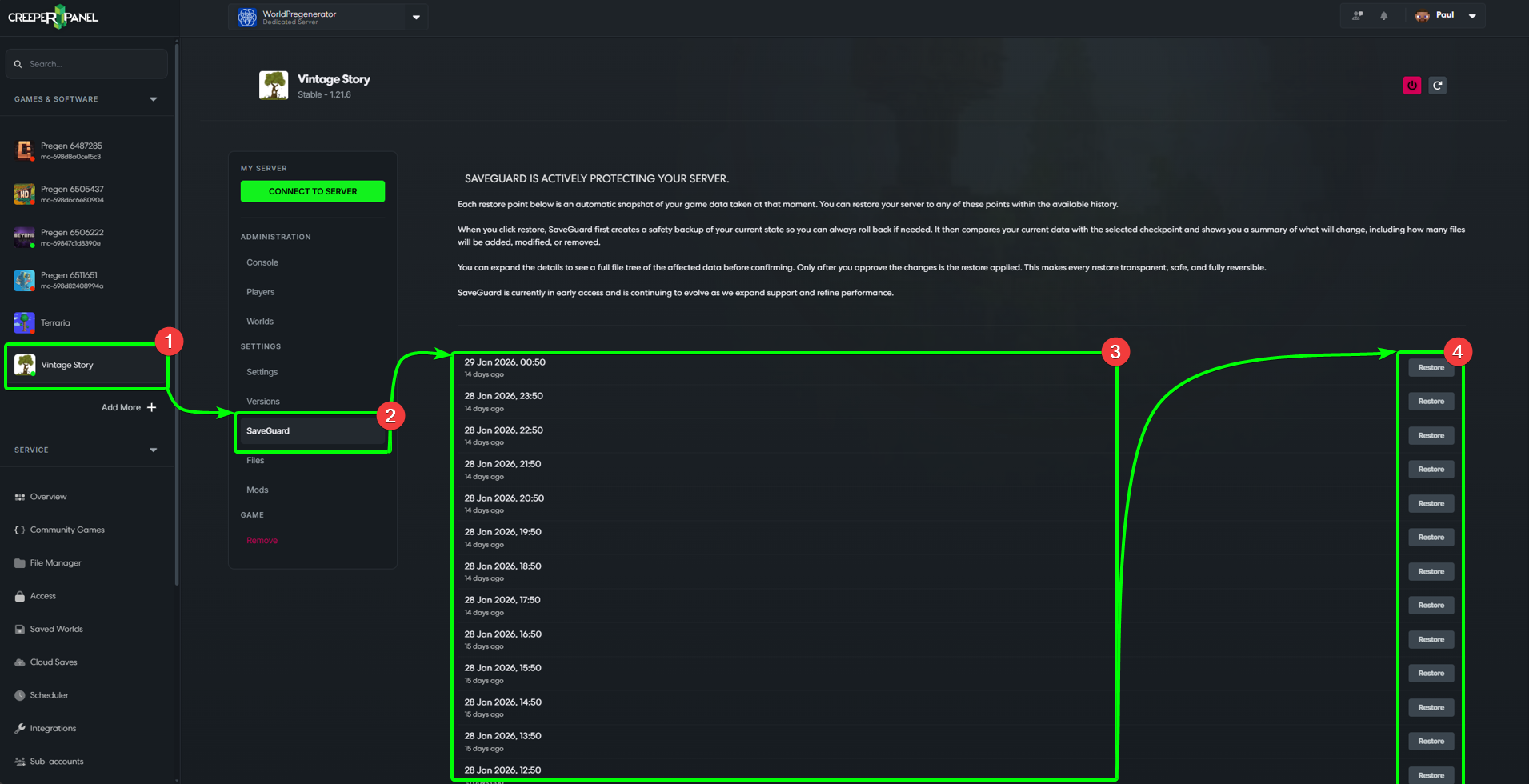
SaveGuard should be visible for all supported games on the CreeperPanel; it will also be in the same place. To find the SaveGuard feature:
- Select the instance you wish to explore SaveGuard on.
- Under the
Settingstab on the side-bar, you should see theSaveGuardmenu option - click it. - When on the SaveGuard tab, you will be presented with a list of available restore points to choose from.
- Each restore point has it's own
Restorebutton. You will be asked to confirm your choice to restore before the action takes place.